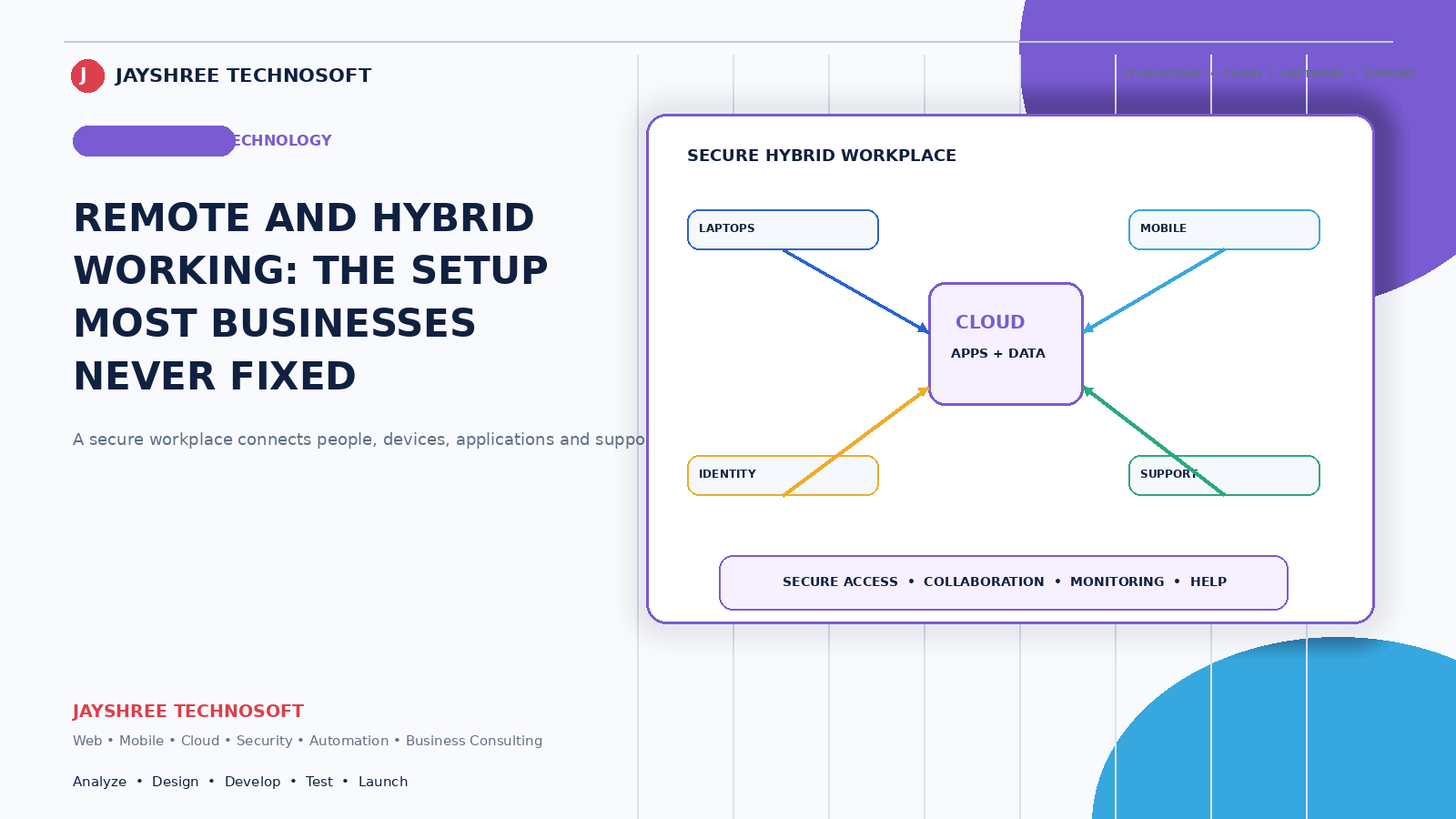
Remote and hybrid working stopped being unusual and became a normal option for Indian businesses — for some roles, some of the time. What hasn't caught up is the setup, which for most businesses is still whatever was improvised during an emergency and never revisited.
Jayshree Technosoft LLP sets up remote and hybrid working infrastructure for businesses across Jaipur, Rajasthan, and India.
Start With Which Roles, Not Which Tools
The mistake is starting with software. Start with an honest assessment of what actually can work remotely in your business.
Genuinely remote-capable: anything done on a computer that doesn't require physical presence — accounts, design, development, content, most administrative work, and a good deal of sales.
Partially capable: roles needing occasional presence. Hybrid, with defined office days rather than ad hoc arrangements.
Not capable: counter staff, field service, production, delivery. Attempting to force these produces frustration.
Being clear about the categories prevents the common outcome where some staff work remotely and others resent it because nobody explained why.
What Actually Has to Be in Place
Access to systems from outside the office
This is the foundational requirement, and it's where businesses running local servers hit a wall. Software installed on an office computer isn't accessible from home.
The options: move systems to cloud, which is the cleanest answer and increasingly the default. Or use secure remote access to office systems, which works and adds complexity and dependency on the office connection staying up.
For most small businesses, cloud-based systems are the pragmatic route — and it's one reason connected cloud platforms like DataBridgeCRM suit businesses with any remote or multi-location element: the same system works from the office, from home, and from a phone without anything to configure.
Files somewhere shared
Not on individual laptops. Cloud storage where documents live in one place, accessible to whoever needs them, with version history so an overwritten file is recoverable.
Communication that isn't only WhatsApp
WhatsApp works and everything disappears into it. Decisions, files, and context scroll away, and when someone leaves it all goes with them.
Business communication tools keep discussions searchable and separate personal from professional. This matters more than businesses expect, particularly for anything a new joiner would need to catch up on.
Video meetings that work reliably
Not just possible — reliable, with decent audio. Poor audio is the most common cause of unproductive remote meetings, and a basic microphone costs very little.
The Security Part Businesses Skip
Staff working from home changes your exposure in specific ways:
Home networks aren't secured. Router passwords unchanged, shared with family, and connected to devices you know nothing about.
Personal devices accessing business data. Common and reasonable — and it means business information sits on machines you don't control.
Public WiFi at cafes and airports.
What actually helps: two-factor authentication on everything important, which handles the majority of realistic risk. Business data in cloud systems rather than downloaded onto personal machines. A clear rule about what may and may not be stored locally. And the ability to revoke access remotely when someone leaves.
This isn't about distrust. It's that the office network provided a boundary that no longer exists, and something has to replace it.
Managing Work You Can't See
The genuine management challenge, and the one businesses handle worst.
Monitoring software is the wrong answer. Screenshot tools and activity trackers damage trust, encourage performative busyness, and don't tell you whether work is getting done.
What works instead: clarity about what's expected and by when. Visible task tracking so who is doing what is apparent without asking. Regular short check-ins rather than long status meetings. And judging output rather than hours.
Managers who couldn't previously articulate what a role should produce find remote work difficult, because it removes presence as a proxy for productivity. That's uncomfortable and it's usually a management clarity problem rather than a remote work problem.
The Hybrid Trap
Hybrid arrangements fail in a specific way: the people in the office become the real team, and remote staff become peripheral.
Decisions get made in corridors and communicated afterwards. Information flows informally in the office and formally to everyone else. Remote staff end up perpetually one step behind.
The fix is a rule: treat everyone as remote. If a decision is made in the office, it still gets written down. If a meeting has one remote participant, everyone joins by video rather than one person watching a room.
Also: coordinate office days rather than leaving them individual. Everyone in on different days produces the worst of both — nobody at their desk and nobody together.
The Indian Practical Realities
Connectivity at home varies enormously. Before assuming someone can work remotely, check what they actually have. A staff allowance for a proper connection is cheaper than lost productivity.
Power cuts. A laptop with battery is a genuine advantage over a desktop for anyone working from home.
Space. Not everyone has a room to work in. This affects who can realistically work from home and shouldn't be assumed.
Phones over computers. Many staff are more comfortable and more capable on a phone. Systems that work properly on mobile get used; systems that need a laptop don't.
The Setup Checklist
Systems accessible from outside the office. Files in shared cloud storage with version history. A business communication tool alongside WhatsApp rather than instead of it. Video meetings with decent audio. Two-factor authentication everywhere important. A written rule on what can be stored locally. Task visibility so work is apparent without asking. Coordinated office days if hybrid. And a check on what connectivity and space people actually have.
Most of this is a week of setup and it's the difference between remote working that functions and remote working everyone quietly dislikes.
How We Help
Jayshree Technosoft LLP sets up remote and hybrid working infrastructure — moving systems to cloud, secure remote access, file and communication tools, and the security configuration that home working requires.
We also work with businesses whose remote setup was improvised and never reviewed, which is most of them. A day of tidying frequently resolves problems people had assumed were inherent to remote work.
Setting up or fixing remote working for your business? Get in touch — we'll start with which roles it actually suits.
Recent Articles

Best CRM Software in Jaipur for Kirana Stores: How POS Billing CRM Simplifies Daily Operations
How DataBridgeCRM's Real Estate CRM Works, From First Enquiry to Closed Deal

How LawDesk & CADesk Work for Lawyers and Chartered Accountants